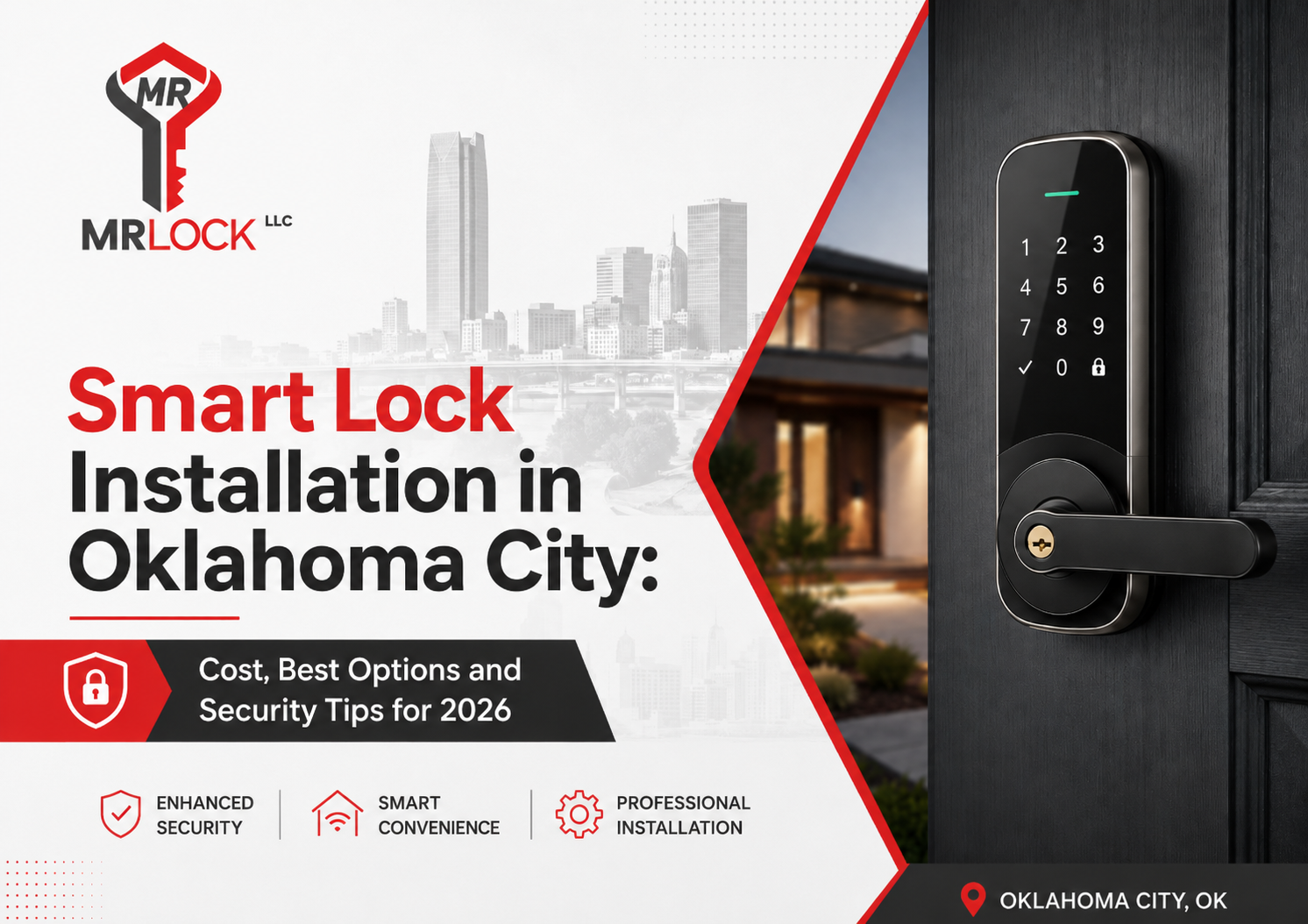
Smart locks give Oklahoma City homeowners easier access, better control and fewer problems with lost keys. Depending on the model, you can unlock your door with a code, phone, fingerprint or smart-home system.
The right smart lock depends on your door, existing deadbolt, internet connection and security needs. Poor installation can cause the bolt to drag, drain batteries or fail to lock fully. This guide explains smart lock installation costs in Oklahoma City, the best options for 2026 and simple ways to protect your property.
How Much Does Smart Lock Installation Cost in Oklahoma City?
Your total price normally includes the lock, installation, door adjustments and device setup. Current national estimates place smart-lock hardware at about $125 to $500. Professional deadbolt installation often ranges from $70 to $300 per lock, while programming may add $30 to $100. Oklahoma City prices vary by model, door condition and job complexity.
What Changes the Final Price?
Key factors include:
- Lock type and brand
- Bluetooth, Wi-Fi, Z-Wave or Matter connectivity
- Door thickness and material
- Existing deadbolt compatibility
- Number of locks
- App and smart-home setup
- Scheduled or urgent service
Planned work often costs less than an urgent visit. Read Emergency Locksmith vs Scheduled Service in OKC – What’s the Price Difference? to learn how timing affects service pricing.
Which Smart Lock Is Best for Your Home?
Keypad Smart Locks
A keypad lock is simple and practical. You enter a PIN instead of using a key. It works well for families, rental homes and properties where several people need access.
Many keypad locks let you create separate access codes. You can give temporary codes to guests, contractors or cleaners and delete them when they are no longer required.
Wi-Fi Smart Locks
Wi-Fi locks let you check the door, receive alerts and control access from another location. They suit travellers, landlords and homeowners who want remote control.
Some Wi-Fi models also connect with security cameras, video doorbells and alarm systems. Before buying, check whether the lock requires a separate hub or monthly subscription.
Bluetooth Smart Locks
Bluetooth locks connect directly to a nearby phone. They often use less power than Wi-Fi models and keep working without internet access. Remote access may require a separate hub.
Bluetooth smart locks are a good choice when you want phone-based access without connecting the lock directly to your home Wi-Fi network.
Matter or Z-Wave Smart Locks
Matter-compatible locks are designed to work across major smart-home platforms. Z-Wave locks often connect with alarm systems and security hubs.
Current smart-lock lines support Wi-Fi, Matter and Z-Wave, but available features differ by model. Confirm compatibility with your phone, hub and smart-home platform before buying.
Fingerprint Smart Locks
Fingerprint entry is fast and convenient, but sensor quality matters. Dust, moisture or poor fingerprint registration can affect performance.
Choose a lock from a recognised manufacturer. Keep a second entry method available, such as a PIN, phone credential, emergency power connection or physical key.
What Should You Check Before Buying a Smart Lock?
Start with the door, not the mobile app. A popular smart lock will still perform poorly when the existing deadbolt does not move freely.
Check these points before ordering:
- Does the deadbolt lock without pushing or pulling the door?
- Does the lock fit the door thickness and backset?
- Is there enough space around the handle and trim?
- Do you want a physical backup key?
- Does the lock support your phone?
- Does it work with your smart-home platform?
- Are remote features included or subscription-based?
- Is the lock rated for exterior use?
- Does it provide low-battery warnings?
Look for tested residential hardware. ANSI/BHMA standards measure security, durability and finish. Where products use Grades 1, 2 and 3, Grade 1 represents the highest performance level.
Why Does Professional Smart Lock Installation Matter?
A smart lock must do more than fit the door. The bolt must extend smoothly into the strike plate. Both sides of the lock must sit level. Internal wires must stay clear of moving parts.
The device also needs correct calibration, code creation and app setup.
A professional locksmith can:
- Confirm lock and door compatibility
- Check the existing deadbolt
- Align or replace the strike plate
- Drill accurate mounting holes
- Install the smart lock securely
- Calibrate the locking motor
- Create access codes
- Connect the mobile app
- Test auto-lock settings
- Explain backup entry methods
Poor alignment can make the smart lock motor work harder. This may drain batteries faster or prevent the deadbolt from extending fully.
Before booking a service, read the Mr. Lock Guide to Choosing a Reliable Locksmith in OKC. Check licensing, service details and the full price before work begins.
Are Smart Locks Safe in 2026?
A quality smart lock can provide strong protection when it uses dependable hardware, secure software and correct installation. It also provides useful features that a standard lock cannot offer.
These features may include:
- Temporary access codes
- Entry activity records
- Remote locking and unlocking
- Failed-entry alerts
- Automatic locking
- Low-battery warnings
- Smart-home integration
However, the condition of your door still matters. Loose strike plates, short screws, damaged wood and poor alignment can weaken the entry point. Smart technology does not replace a strong deadbolt, solid door and secure frame.
What Are the Best Smart Lock Security Tips?
Follow these steps after your smart lock installation:
- Create a unique account password.
- Enable two-factor authentication.
- Install firmware and mobile app updates.
- Delete old users and unused access codes.
- Avoid simple PINs, birthdays and address numbers.
- Turn on failed-entry alerts.
- Enable low-battery notifications.
- Protect your home Wi-Fi with a strong password.
- Keep a backup entry method available.
- Replace batteries before they fail.
Give each household member a separate access code. This helps you identify who entered the property and lets you remove one code without changing access for everyone.
Avoid sharing your main access code through public messages or unsecured apps. Create a temporary code when a cleaner, contractor, delivery worker or guest needs short-term access.
Can You Install a Smart Lock Yourself?
Some retrofit smart locks are designed for DIY installation. However, a simple installation requires an aligned door, matching mounting holes and a freely moving deadbolt.
Professional installation is safer when:
- The door sticks
- The deadbolt drags
- Existing holes do not line up
- The door frame needs repair
- The strike plate is damaged
- New holes must be drilled
- Several locks need to be connected
- The lock must connect with an alarm system
Incorrect drilling can damage the door. Poor calibration can cause a lockout or prevent the deadbolt from locking completely.
A licensed Locksmith OKC service can inspect your door, explain your options and recommend compatible smart lock hardware.
Where Does Mr Lock Provide Mobile Smart Lock Service?
Mr Lock provides mobile smart lock installation and locksmith services from 6 am to 12 midnight in Oklahoma City and surrounding communities.
Service areas include:
- Locksmith Edmond
- Locksmith Norman
- Locksmith Mustang
- Locksmith Yukon
- Locksmith Moore
- Locksmith Guthrie
- Locksmith Bethany
- Locksmith Del City
- Locksmith Midwest City
- Locksmith Choctaw
Mr Lock also handles residential, commercial and automotive locksmith needs. Read Ford Fusion 2009 Key Fob Made On-Site in Oklahoma City, Fast Locksmith OKC Service for an example of its mobile locksmith service.
Frequently Asked Questions About Smart Locks
Will a smart lock work without internet?
Most smart locks still allow local entry through a keypad, fingerprint scanner, Bluetooth connection or physical key. Remote access and mobile notifications may pause until the internet connection returns.
How long do smart lock batteries last?
Battery life depends on the model, connection type, daily use and door alignment. Wi-Fi features and a dragging deadbolt can drain batteries faster.
Can a smart lock fit any door?
No. Door thickness, hole size, backset, trim space and deadbolt type affect compatibility. A locksmith should measure and inspect the door before installation.
Should I choose a smart lock with a keyhole?
A keyhole provides a physical backup entry method. A key-free model removes the traditional cylinder but requires a clear emergency-power or battery backup plan.
Can smart lock access codes be changed?
Yes. Most keypad and connected locks let an authorised user add, edit or delete codes through the keypad or mobile app.
Can landlords use smart locks on rental properties?
Smart locks can help landlords manage guest, tenant and maintenance access. Each person can receive a separate code that can be changed when necessary. Property owners should still follow lease terms and applicable local rules.
Schedule Smart Lock Installation With Mr Lock
Mr Lock helps homeowners and businesses choose compatible smart locks, install them correctly and set up essential access features.
The company is a licensed locksmith serving Oklahoma City, OK 73112, with residential, commercial, automotive and emergency locksmith services.
Mr Lock
Phone: (405) 978-2060
Email: info@mrlockokc.com
Location: Oklahoma City, OK 73112
License: AC 441016
Mobile service hours: 6 am to 12 midnight
Call Mr Lock to request a smart lock installation quote for your home, rental property or business in Oklahoma City or a nearby service area.